DOM Manipulation in JavaScript — A Beginner's Cheatsheet

If you are just getting started with javascript,DOM Manipulation is one of the first places where things start to feel real - you write code and something actually changes on the screen.
But it also has a surprising number of small traps that are not obvious until you hit them.
Here's everything I learned today , organized so you don't have to make the same mistake I did.
What is DOM ?
DOM stands for "Document Object Model" . it's basically how Javascript sees your HTML page- as a tree of elements that you can select, change,and interact with using code.
1.Selecting Elements
Before you can change anything, you need to grab the element first.
// By ID — returns a single element
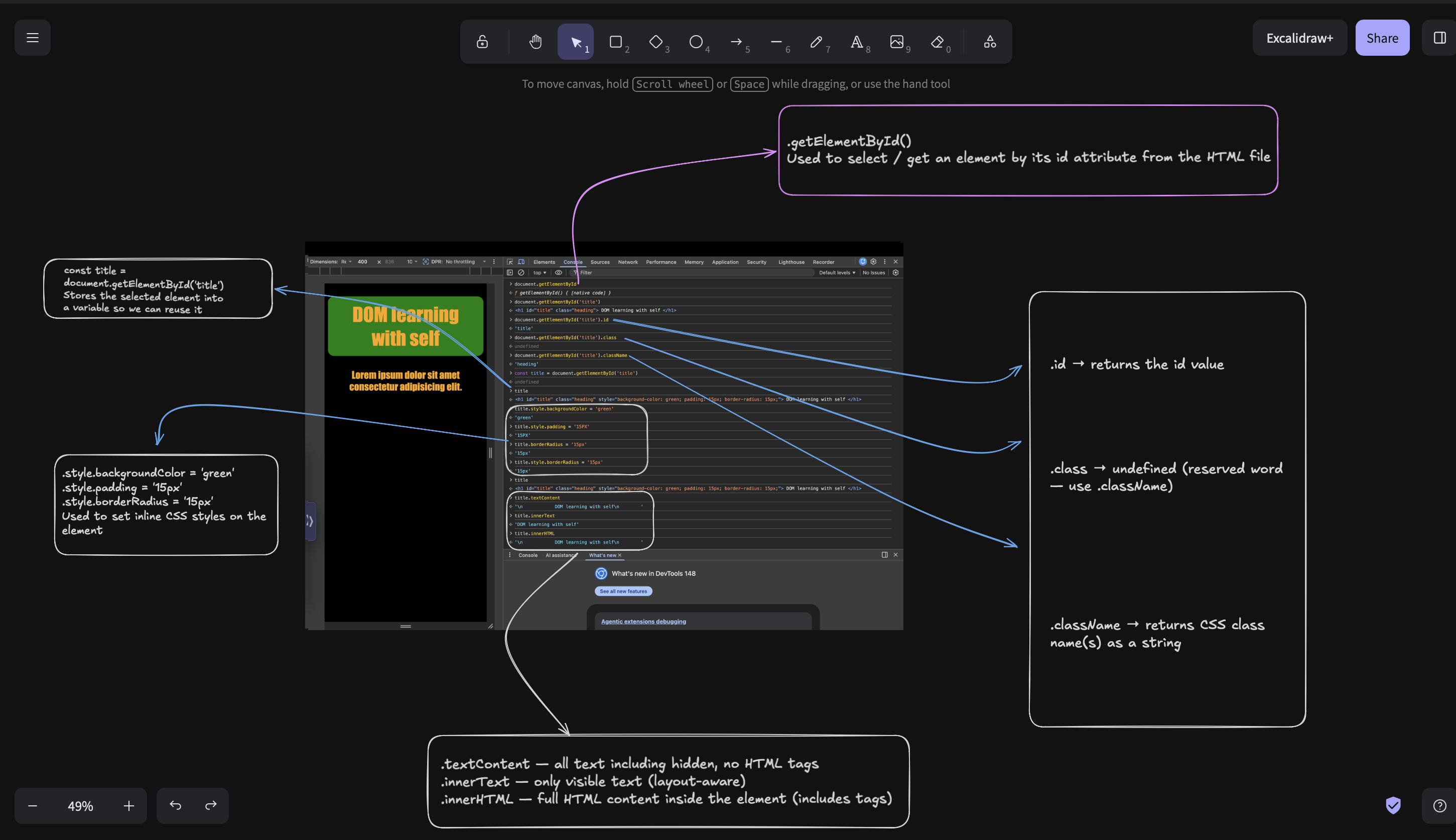
document.getElementById('title')

// By class name — returns an HTMLCollection (NOT one element!)
document.getElementsByClassName('card')

// By CSS selector — cleanest option, returns first match
document.querySelector('.card')
document.querySelector('#title')
2.Changing Styles
Once you have the elements, you can change its CSS directly from JavaScript:
const title = document.getElementById('title')

title.style.backgroundColor = 'green'
title.style.padding = '15px'
title.style.borderRadius = '15px'
3.Reading Elements properties
const title = document.getElementById('title')

title.id          // returns the id value
title.className   // returns class name(s) as a string
4.Reading Content
title.textContent   // all text including hidden elements, no HTML tags
title.innerText     // only visible text (layout-aware)
title.innerHTML     // full HTML content inside the element (includes tags)
use case
use
.textContentwhen you just want the raw textuse
.innerTextwhen you care about what the user actually seesuse
.innerHTMLwhen you need to read or write HTMK tags inside an element
If you're also learning JavaScript, I hope this saves you some debugging time. These are small things but they add up fast when you're just starting out.
Let's keep building 🚀